Made to Order · open like a restaurant

Sell your homemade food online — your storefront, your customers

Take live orders and cook each one fresh.

Be the next tamale queen

VibeKitchen is the storefront and ordering system for people who sell food from home. Open your kitchen like a restaurant and take orders live, sell what’s ready now, or open a batch for pre-orders — run it all from the mobile app or the web dashboard. Your customers order from a web link — no app, no signup, no account to create.

List · Cook · Get Paid

Launching soon · Free to start · No credit card required

For youiOS appAndroid appWeb dashboard
For customersCustomer web storefrontNo app or signup to order
Made to Order

Run a real kitchen, not a pickup counter

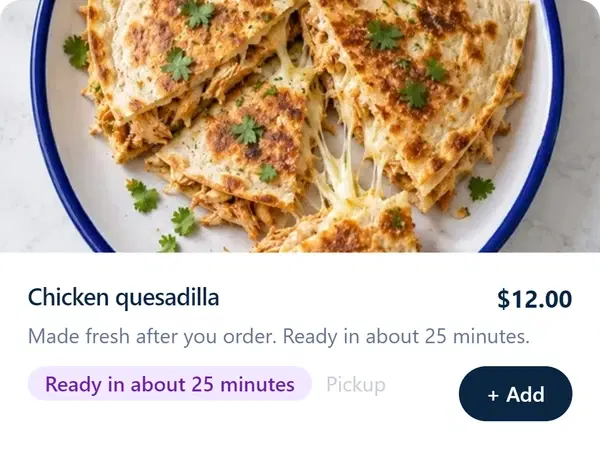
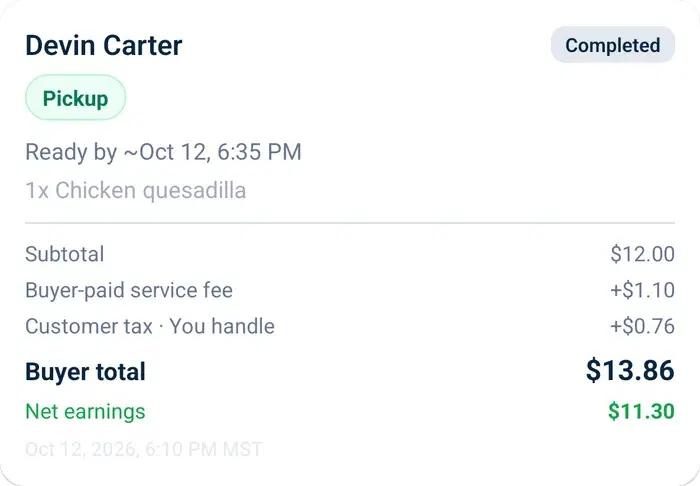
Open up for the day and take orders as they come in — same as calling in a pizza. The order hits your phone, you fire it, and you cook that dish fresh for that person. Your customer gets food made the moment they ordered it, not pulled from a batch you cooked this morning.

You run the service: set a prep time so they know when it’s ready, and your store hours so you’re only open when you actually want to cook. Expecting a rush? Cap how many orders you’ll take that day.

Most tools only let a home cook list what’s in stock or open a pre-order window. This is the part they skip — the workflow (and the feeling) of running your own restaurant.

See how Made to Order works →

One tool, three ways to sell

Made to Order is the headline, but it’s one of three modes your storefront mixes and matches — whatever fits how you cook that week.

Ready Now

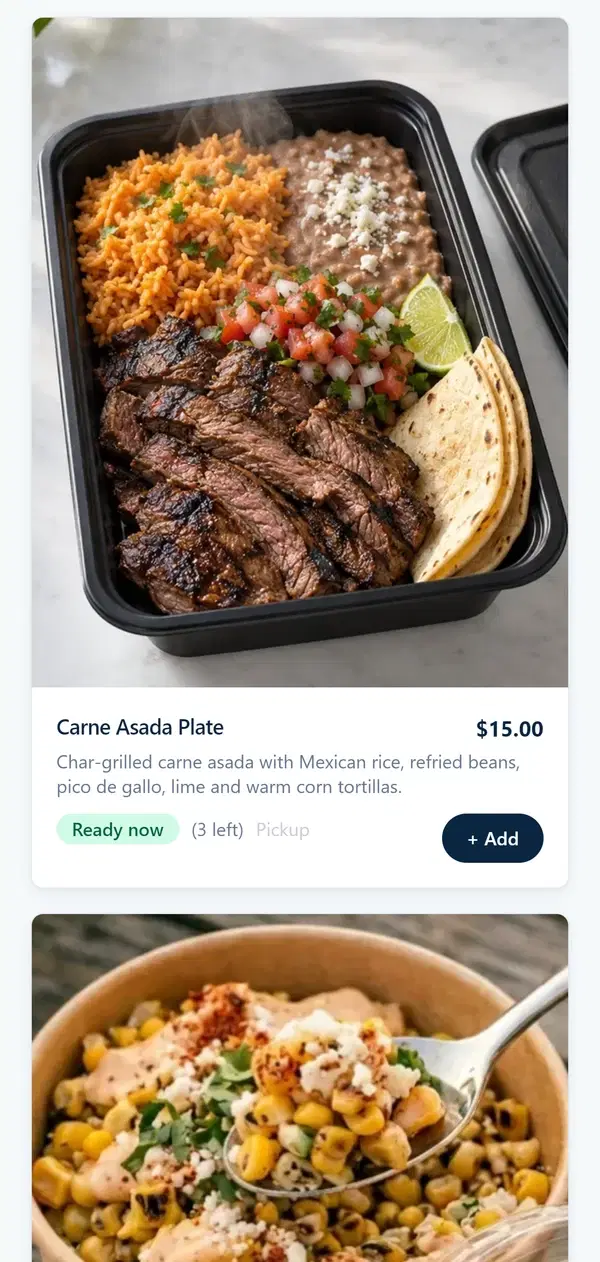
Sell what’s already made. List a batch, show how many are left, and customers buy until it sells out — a market table or a same-day drop.

Scheduled Batch

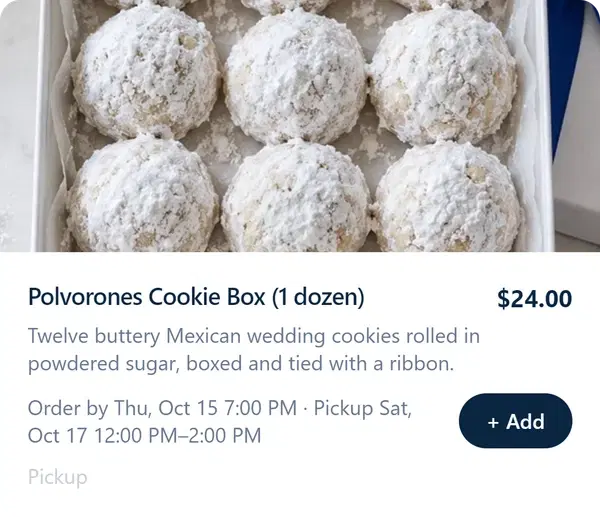
Open a pre-order window for one planned cook. Collect orders, set a cutoff and a pickup time, and make it all at once — a Friday tamale run or a holiday box.

Made to Order

Standout

Open your kitchen and cook each order fresh as it lands, like a restaurant working its tickets — your hours, your prep time, an optional daily cap.

Your DMs aren’t an ordering system

A customer messages “still got tamales for Friday?” You scroll up to find what they ordered last time. Someone sends the wrong amount on Venmo. Two people ask about pickup, one of them twice. You’re running a real food business out of a notes app and four inboxes.

VibeKitchen puts the whole thing on one page: your menu, your orders, pickup times, payments, and a record of every customer who’s bought from you — whether they found you on Instagram or a Facebook Marketplace post.

How your online storefront works

Give customers one link where they order from your menu.

VibeKitchen chef sign-up screen — “Welcome to VibeKitchen”, Chef Sign Up form, Step 1 of 2
01

Get started

Download the app or sign up on the web and set up your kitchen in just minutes. Once you’re set up and approved by our payment processor, you’re ready to take orders and get paid.

Launching soon — be first in line.

Free to start · No credit card required

Everything you need to sell homemade food online

One tool for your storefront, your orders, and your customers.

Your storefront
A web page customers order from — no app, no signup
Run it anywhere
Mobile app + web dashboard, same kitchen
Sell three ways
Ready Now, Scheduled Batch, and Made to Order
Made to Order
Take live orders and cook each one fresh — your store hours, your prep time, optional daily cap
Orders in one place
Incoming orders, pickup windows, order history
Order alerts
Get a push notification the moment a new order comes in (mobile app)
Message customers
Answer questions and coordinate pickup right on each order
Pickup & local delivery
Coordinate pickup times or set a delivery fee
Your customers
Every buyer's contact saved to you, not a marketplace
Marketing & share kits
Ready-to-post images, captions, and printable QR-code signs to bring in orders
Get paid
Card payments built in; money to your account
Cost
$0 to start, no monthly fee

Looking for the best app to sell homemade food? This is the whole kit — storefront, orders, payments, and customers in one place.

Sales kits

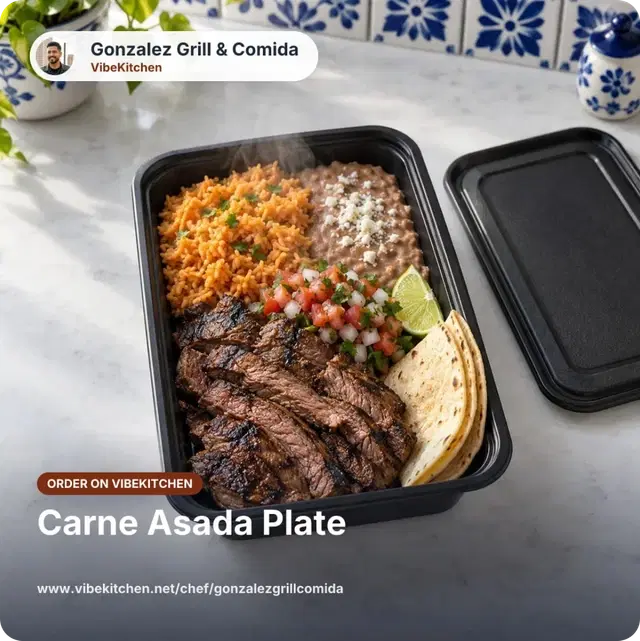
Turn one photo into a week of posts

You already sell on Facebook Marketplace and Instagram. VibeKitchen turns one uploaded photo into ready-to-post content for each one — sized correctly for where it’s going, every link pointing back to your storefront.

  • Facebook Marketplace

    Marketplace listing + auto-reply

    A ready-to-paste listing title, price, and description — plus a saved auto-reply that answers “is this still available?” with your order link, so you stop living in Marketplace DMs.

  • Facebook

    Post & group kit

    A feed image, caption, and a pinned comment with your link for your page or your local buy/sell groups.

  • Instagram

    Story order sticker

    A vertical Story image with space reserved for the link sticker, plus the sticker text and your storefront URL.

  • Instagram

    Feed & carousel posts

    Food-first feed and carousel images with captions that send buyers to your link in bio.

  • Instagram

    Reel cover + script

    A center-safe Reel cover and a short shot list so a quick Reel still points people to your order link.

  • Link in bio

    Link in bio

    One stable storefront URL for your profile bio that keeps working as your menu changes.

  • In person

    Printable QR signs

    QR signs and a fallback URL for flyers, counters, and tables — scan to open your current menu.

  • In person

    Scan-to-order signs

    Scan-to-order signs for markets and pop-ups so buyers order from your storefront on the spot.

The Marketplace auto-reply alone kills the “is this still available?” DM pile — buyers get your live menu and checkout link the moment they ask.

See what a VibeKitchen looks like

Three example storefronts, three very different kitchens — same tool underneath.

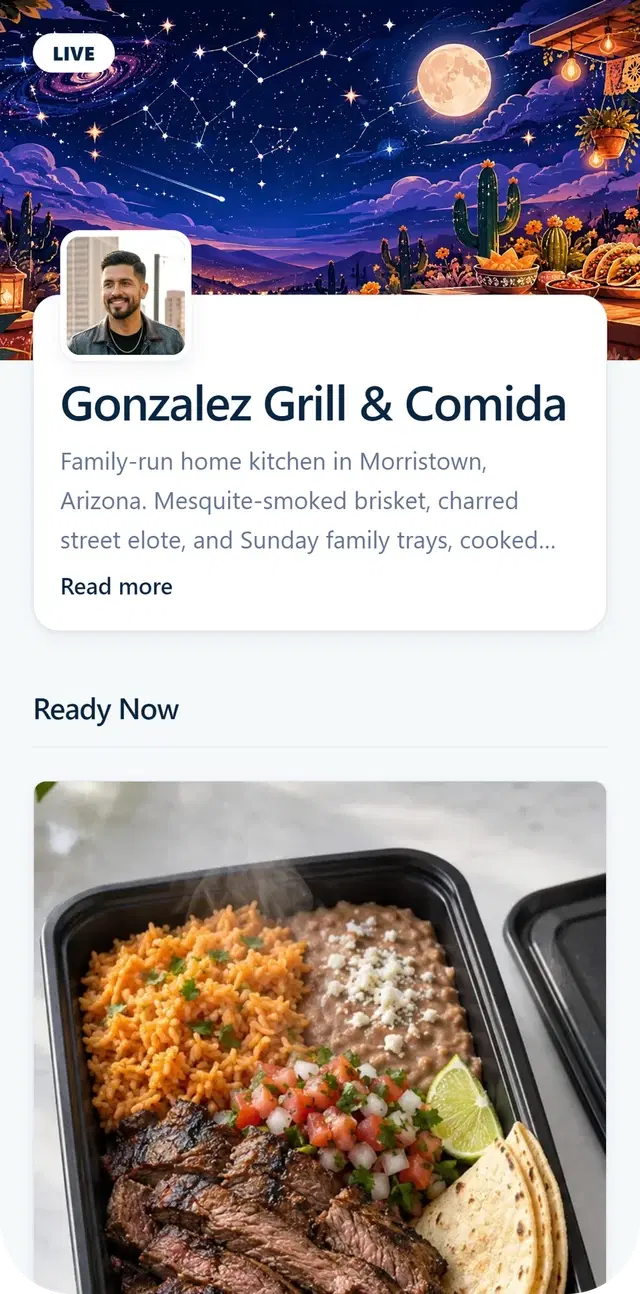
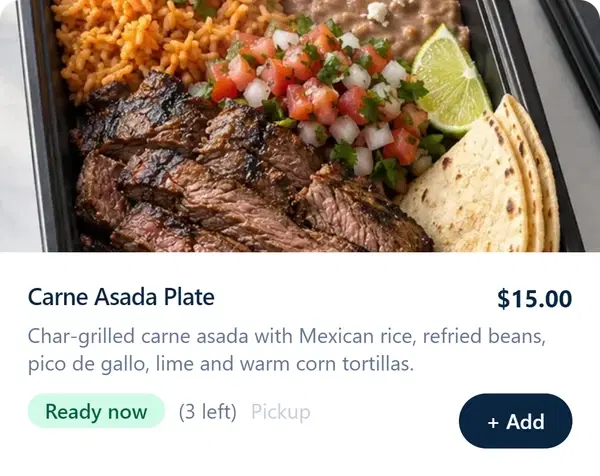
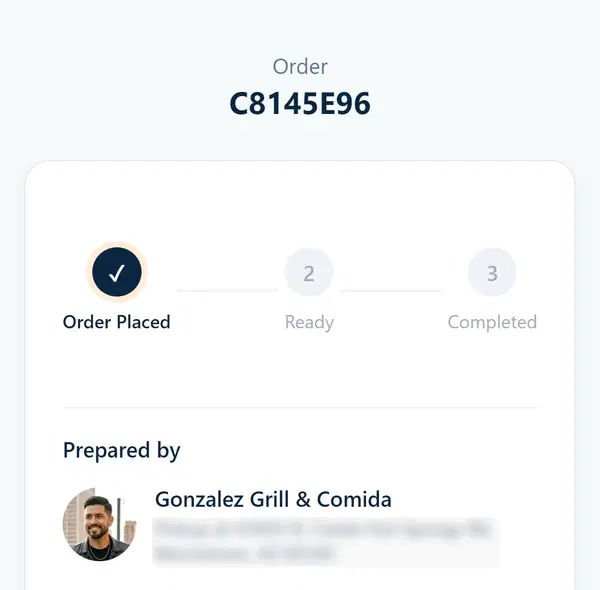
VibeKitchen storefront for Gonzalez Grill & Comida — cover photo, profile, store hours, and a Ready Now menu

Gonzalez Grill & Comida

Sample storefront

This is the page your customers see. You pick the photos, the name, the menu. It’s yours, not a listing inside someone else’s app.

How VibeKitchen compares to the tools you’re weighing

Where we’re different, and where we’re even — laid out straight.

Ways to sell

Beats both

VibeKitchen

Three modes in one menu: Ready Now, Scheduled Batch, and Made to Order.

Hotplate

Scheduled drops and pre-order windows — no live, cook-to-order mode.

Cookin

On-demand and pre-order — no live, cook-to-order mode.

Getting the word out

Beats both

VibeKitchen

Channel-native kits: ready-to-post Facebook Marketplace + Instagram content, a Marketplace auto-reply, and printable QR signs — from one photo.

Hotplate

SMS marketing to your own list.

Cookin

In-app discovery inside the Cookin marketplace.

Whose customers they are

Beats Cookin, matches Hotplate

VibeKitchen

Yours — your audience and your customer list, never listed in a shared buyer marketplace.

Hotplate

EvenYours too, on your own ordering page.

Cookin

Shared — Cookin also runs a buyer marketplace that lists cooks together.

Where you run it

Beats Hotplate, matches Cookin

VibeKitchen

Native iOS + Android apps and a web dashboard.

Hotplate

Web-based; no native app.

Cookin

EvenNative chef app.

Also included

  • How fees work: A 6% service fee, and you choose who pays it — add it to your buyer's total, or absorb it so your menu price is the checkout price. $0 to start, no monthly fee. Stripe's payment processing comes out of your proceeds.
  • Message customers: On every order.
  • Pickup & delivery: Pickup and optional local delivery.
  • New-order alerts: Push alert the moment an order lands (mobile app).

We beat the marketplace and commission apps on owning your customers and keeping 100%, we match the best independent tools right there, and we pull ahead of everyone on range — three ways to sell — and channel-native marketing.

“Even” marks where a tool matches us. Competitor capabilities compared from their public products as of June 2026; we credit what each tool does well and only claim differences we can stand behind.

Want the wider field? See the best app to sell homemade food.

Your food. Your customers.

You're already building demand. Keep the order page under your own brand.

Gig delivery
VibeKitchen
They set your rate
You set your prices
App rules affect your hours
You pick your hours
Driving in your car
Cooking from your kitchen
Customers belong to the app
Customers are yours
Competing inside their app
Your own page, your brand

Tired of handing the customer to the app? See how VibeKitchen compares to gig delivery apps like DoorDash and Uber Eats.

You set your price. You choose who pays the fee.

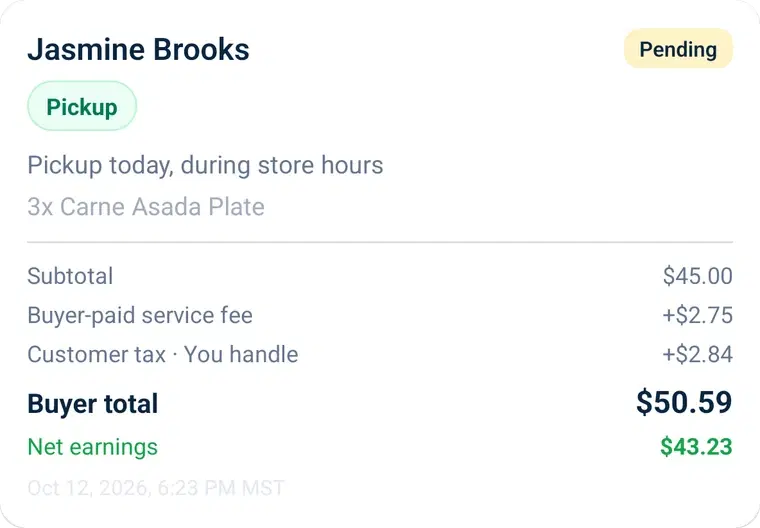
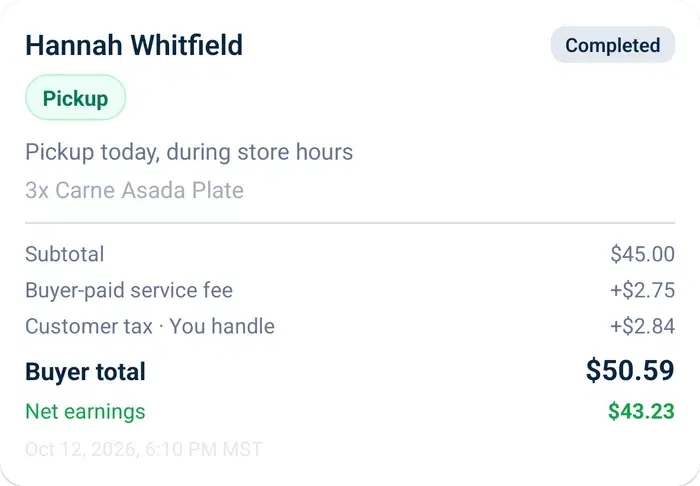
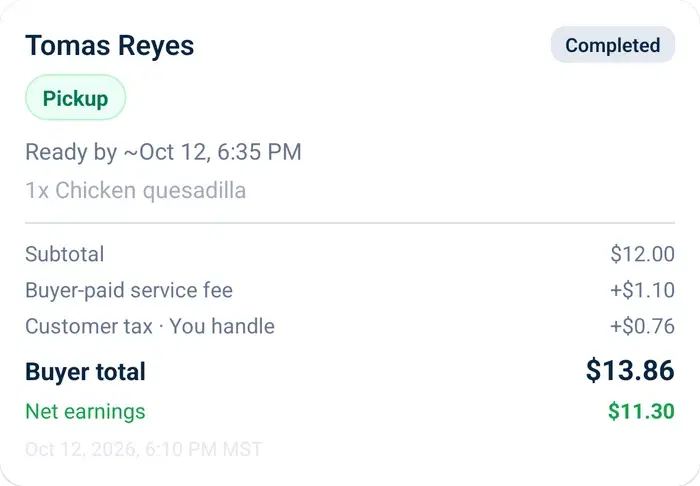
You list a dish at $12. Your customer pays a 6% service fee on top at checkout — or you absorb it, and they pay exactly $12. That fee is the only thing VibeKitchen charges. Payments run on Stripe, and Stripe’s processing fee comes out of your proceeds.

Your tamales$12.00
Your customer pays$12.00 + 6% service fee
You receive$12.00less Stripe’s processing fee

We only make money when your customers order.

$0 to start · No monthly fee · No hidden costs

Get early access to VibeKitchen

Your kitchen. Your schedule. Your orders.

List · Cook · Get Paid

VibeKitchen works for home food sellers in all 50 states — wherever you cook, you can start. Look up your state's cottage food rules whenever you’re ready.

Questions, answered

What is VibeKitchen?

VibeKitchen is an online storefront and ordering system for home food sellers. You list your dishes, share one link, and take orders with pickup times and payment in one place — from a mobile app or the web. It’s your own storefront, not a marketplace.

How much does it cost?

$0 to start and no monthly fee. VibeKitchen charges a 6% service fee per order, and you choose who pays it: add it to your customer's total, or absorb it so your menu price is exactly what they pay. Payments run on Stripe, and Stripe's processing fee comes out of your proceeds — the same arrangement every comparable platform uses. Those two are the only deductions, besides anything you refund.

When do I get paid?

After a customer pays, the money is deposited to your bank by our payment provider. Card payments usually arrive about one business day later; bank transfers take a few business days, and weekends, holidays, and provider cutoffs can shift the date. See the payout timing guide for the details and where to track your deposits.

Do my customers need to download an app or make an account?

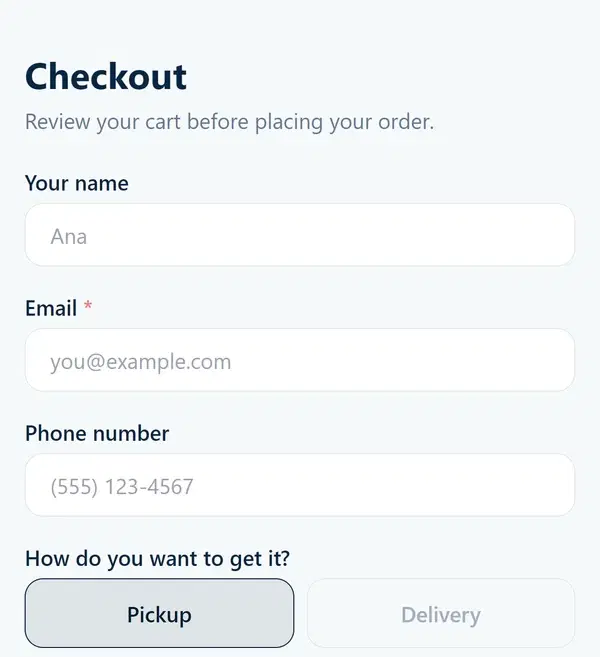
No. They open your link, browse your menu, choose a pickup time, and pay on the web. No app, no signup.

Is VibeKitchen an app or a website?

Both, for you. Run your kitchen from the mobile app or the web dashboard. Your customers always order on the web.

Is this a marketplace? Will you bring me customers?

No. VibeKitchen doesn’t list you next to other cooks or send you strangers. You bring the audience you already have; the customers who order stay yours.

Can I take live orders and cook to order, like a restaurant?

Yes — that’s Made to Order. Open your kitchen for the day and orders come in as customers place them. You cook each one fresh, with the prep time you set, during the store hours you set, up to an optional daily cap. Your customers get food made when they ordered it, not pulled from a morning batch.

What else can I sell, and how?

Whatever your kitchen makes. Sell what’s Ready Now, or open a Scheduled Batch and collect orders for one planned cook.

Can I do pickup and delivery?

Yes — coordinate pickup times, or set a delivery fee for local drop-off.

Do I need a permit to sell food from home?

Every US state has a path for selling certain homemade foods, and the rules vary a lot. See your state’s cottage food law before you start. VibeKitchen is your ordering tool, not a permit or legal service.