Why Instagram works for home food
For home bakers specifically, Instagram remains one of the strongest discovery channels in 2026. Three structural reasons:
- Food photographs well. Cookies, cakes, bread, sweets, plated meals — the product format maps cleanly to square image-first content. Home bakeries have an aesthetic advantage that most small businesses do not share.
- Local discovery is strong for food. Location tags, local hashtags (small enough to actually reach local users, not big enough to disappear into algorithmic noise), and the "Places" search all work for a home bakery. A post tagged with a neighborhood and the right niche hashtags often reaches exactly the local audience you want.
- Stories format matches preorder timing. The disappearing-in-24-hours nature of Stories fits the "available this Saturday" or "orders open Friday" rhythm most home bakers operate on. A Story that expires when orders close does not clutter a feed.
The structural issue, which is a big one: Instagram is a marketing channel, not an ordering platform. The ordering functionality it does offer (shop tags, product catalogs) is designed for drop-shipped goods, not made-to-order food or limited weekly menus. Sellers end up driving orders into DMs, which is the breaking point every home baker eventually hits.
The playbook that actually works in 2026
The Instagram home-bakery pattern that performs consistently across markets:
- Profile setup that does the heavy lifting. The bio is one or two lines: what you make, the general zone you serve, and a link to your ordering page. The link is not Linktree for most sellers — a Linktree link is an extra click that loses buyers. A single direct link to an ordering page is better. The profile photo is the product, not you — buyers find you by the product first and the person second.
- Local hashtags under 200,000 uses. This is the most consistent advice from creator guidance in 2025 and 2026. Big hashtags (#cookies at 20M uses) are dead for reach. Medium and small local hashtags (#[cityname]baker at 8,000 uses, #[cityname]cookies at 15,000 uses) actually deliver the right audience. Pick five to seven local hashtags and rotate them. Avoid stuffing twenty-plus hashtags on every post.
- Consistent-decent beats rare-perfect. Regular posts of good-quality phone photos with natural light beat infrequent professional photoshoots. The algorithm rewards consistency, and buyers want to see that you are actively baking. Posting twice a week is a reasonable cadence for most home operators.
- Stories with link stickers when orders open. The pattern: one Story slide with the product photo, one with the menu and prices, one with a link sticker pointing to the ordering page. Posting this sequence when orders open captures most of the sales within the first two to three hours. The link sticker is the key — it lets buyers tap directly from a Story to an ordering page without manually typing a URL.
- Engagement in the first hour drives reach. Replying to comments within the first hour of a post drives algorithm prioritization. Answering questions quickly on Stories during availability windows compounds this.
- Behind-the-scenes content works better than product-only content. Showing the process (kneading, decorating, packaging) outperforms pure product shots for engagement and follower growth. The aesthetic of home baking as craft is what buyers respond to.
Where DMs stop working
The pattern that recurs in home-baker community discussions across 2025 and 2026: Instagram DMs work for the first handful of orders and break down around 10 to 15 orders per week. The specific failure modes, documented by Baking Subs, Homegrown, Midnight Bakers Society, and many others:
- Order details get buried. DMs are threaded chronologically. A customer's order sits in one thread; their follow-up about pickup time sits further down; their payment confirmation is in a third message. Finding the complete picture of a single order twenty DMs later is unreliable.
- Payment and order status mix with general conversation. The Instagram DM inbox is not a CRM. Messages from buyers about orders mix with DMs from people asking "is this cake available" (window shoppers), DMs from people sending cake emojis (fans), and DMs from the algorithm ("your story was seen by..."). Sorting signal from noise takes time you do not have.
- Pickup coordination lives in chat history. When you agreed with a buyer on "Saturday between 10 and 11," that agreement is a line in a Messenger-style thread, not an entry on a schedule. Missing a pickup window because you did not see the DM confirming the time costs you a customer.
- No structured data to look back on. What did your top buyer order three months ago? In a DM system, you do not know without reading the thread. In a structured ordering system, you see their full history instantly.
- Custom orders compound the problem. Custom cake orders have specifications (flavor, size, filling, decoration, dietary restrictions, pickup date). Capturing that in DMs means playing 20 questions with each buyer. Losing a detail means remaking the cake.
The 10-to-15-order threshold is consistent enough across independent sources that it works as a useful rule of thumb for home bakeries. Below it, DMs are fine. Above it, DMs cost you more than the orders they generate.
The handoff pattern that keeps working
Show the food, then give people a way to buy it. VibeKitchen's kits prepare the image and text; you add the link and publish on Instagram yourself.
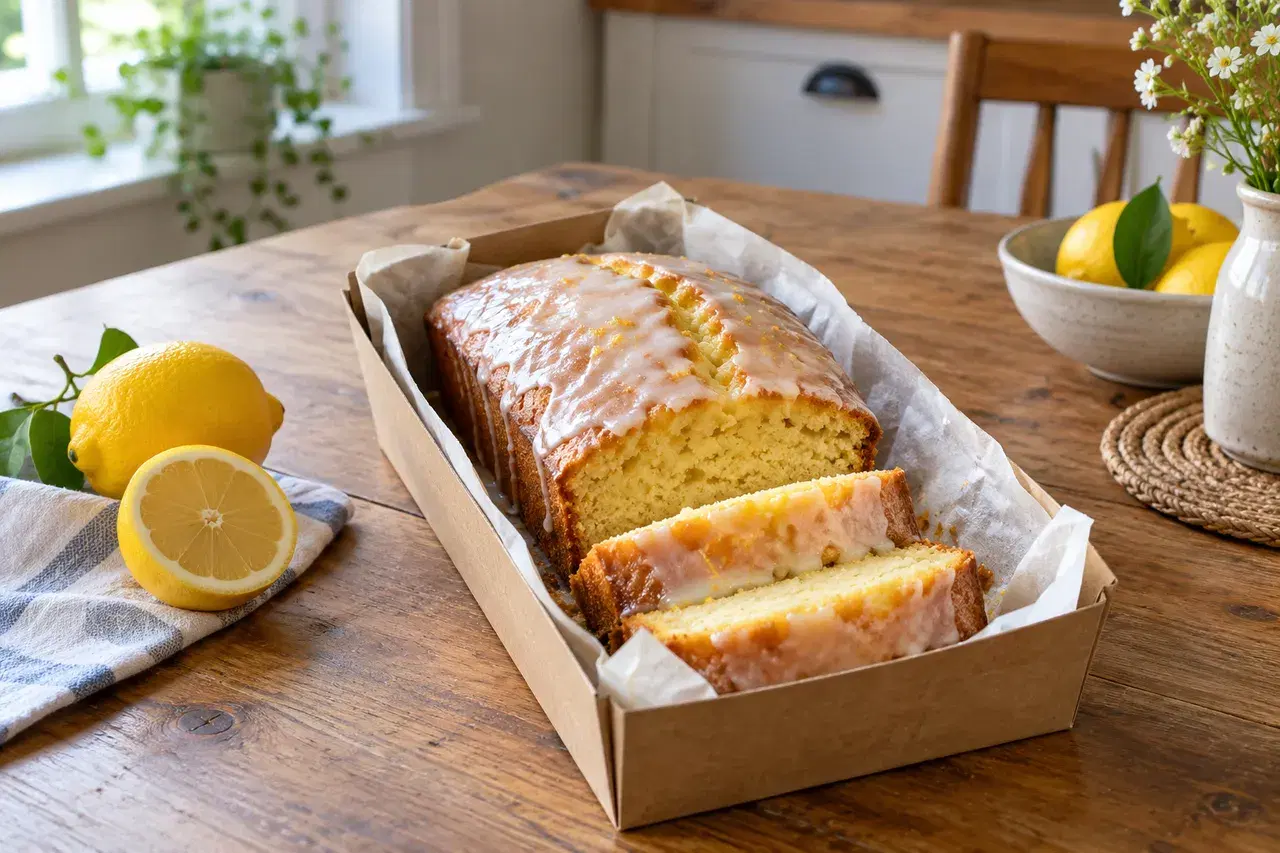
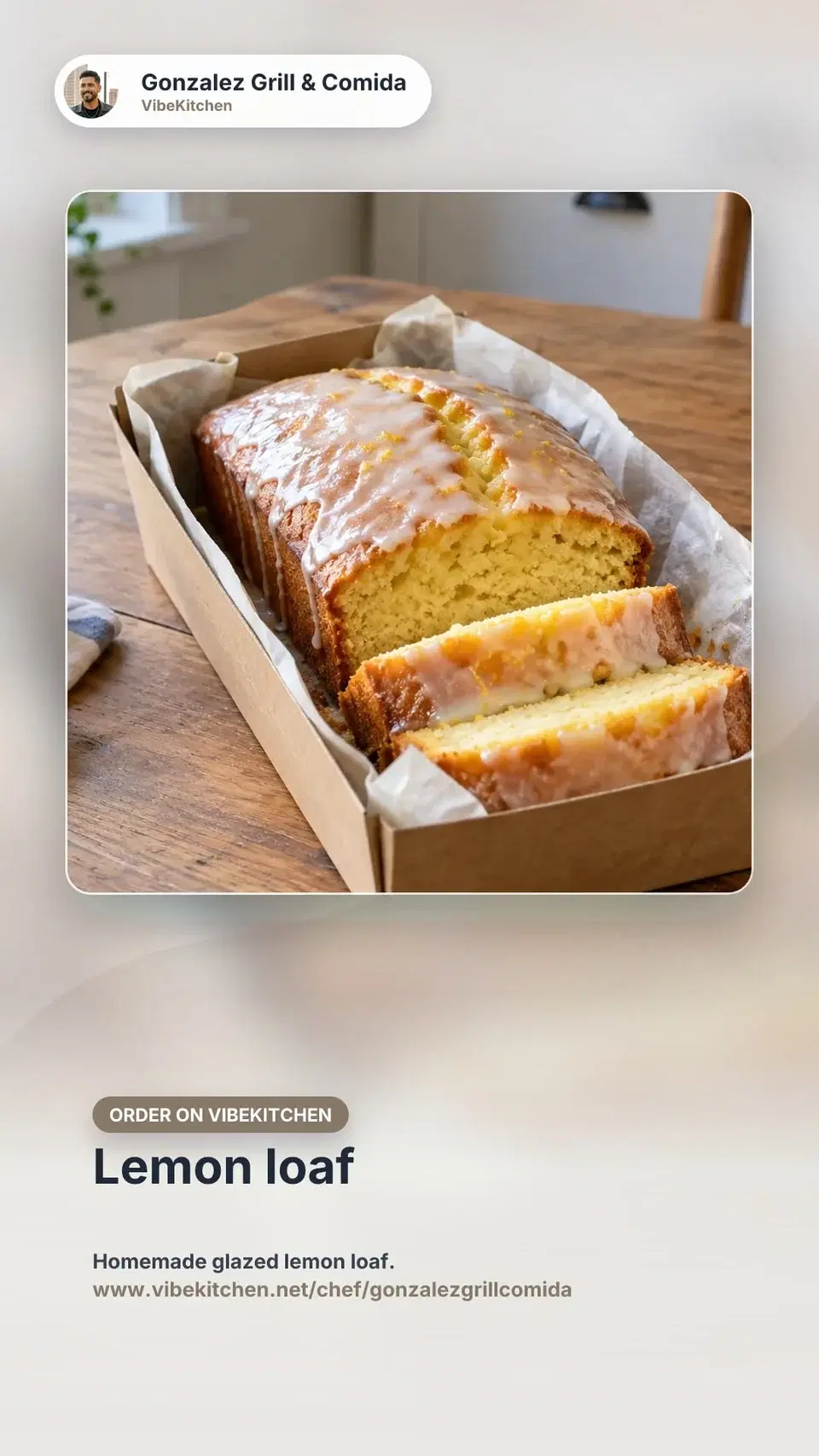
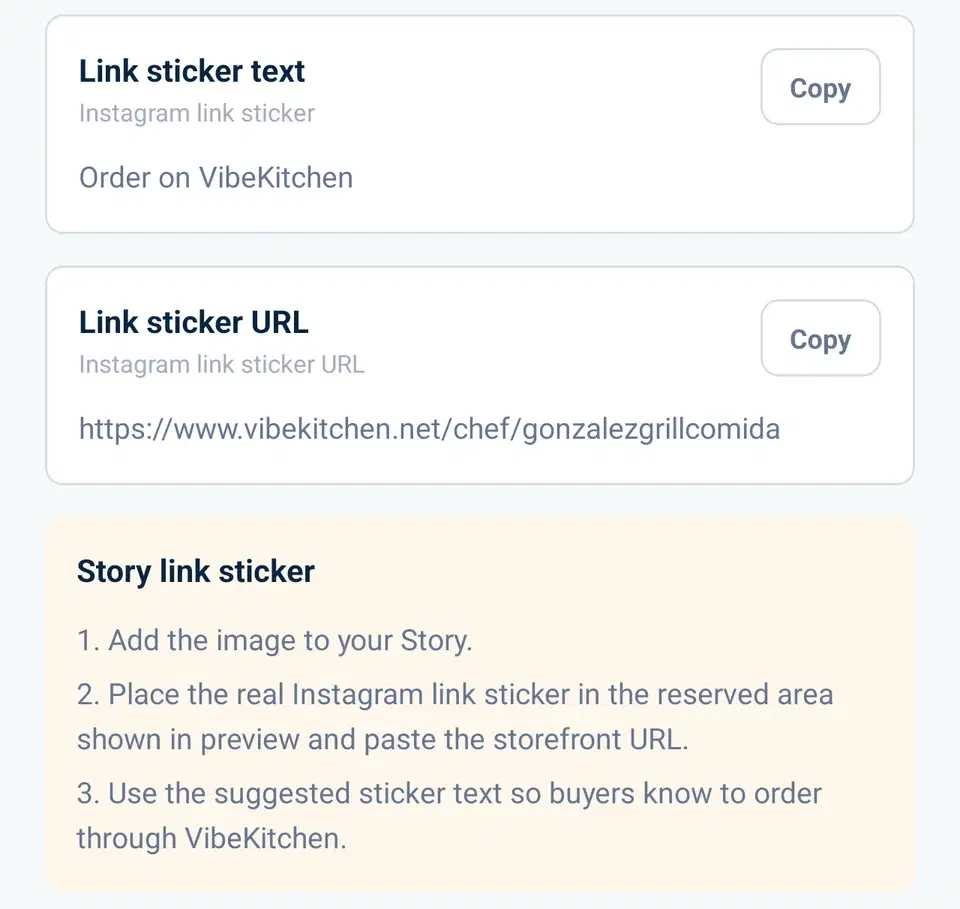
Worked example: you're offering a lemon loaf for Sunday pickup. Use the Instagram Story Order Kit for that item. It gives you a vertical image with space for a link sticker, suggested sticker text, and the buyer URL.
- Check the loaf's price and Sunday pickup details on your order page.
- Upload the kit image to your Story.
- Add Instagram's actual link sticker in the reserved space and paste the buyer URL. A picture of a sticker isn't a working link.
- Review the suggested sticker text and publish. Open the Story to check that the link reaches your menu.
Instagram explains how to add a link sticker (accessed October 11, 2026). New accounts, and accounts that break its rules, don't get the sticker; if you don't have it, point people to the link in your profile.
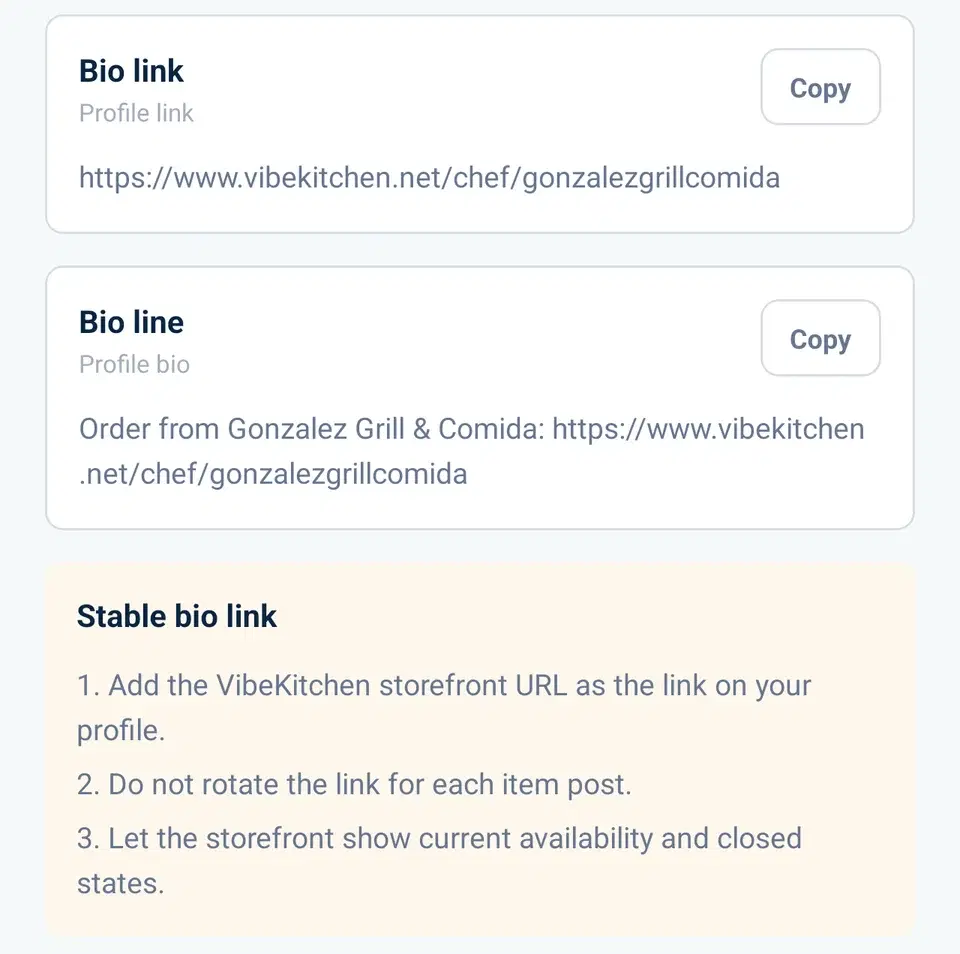
For that lasting link, open the Link in Bio Kit and copy your storefront URL. Add it to the website link in your Instagram profile, following Instagram's profile website instructions (accessed October 11, 2026). Keep that address stable when you change the menu, so someone returning for next week's loaf reaches your current items.
Buyers complete their order on your VibeKitchen page. You still answer Instagram questions yourself; VibeKitchen doesn't post Stories, publish profile changes, or reply to DMs for you. If you're deciding what should happen after the tap, compare DMs, forms, and an order link.
Sample shop
The Instagram kits
From a sample shop, using the lemon loaf from this guide.
The Story image
Made by the Instagram Story Order Kit, with room for the link sticker.
The sticker text
Suggested sticker text and the link to paste into Instagram's link sticker.
The bio link
The Link in Bio Kit's storefront address and a bio line to copy.
Know your local rules, then set up how you take orders
Alongside the Instagram playbook, understand the local rules for what you sell. The state-by-state reference lists cottage food paths and the agencies that handle them. The specifics vary: some states restrict online ordering, some require a specific label disclaimer on every product, some require registration before a seller scales. Read your state's rules as the ground you operate on, not as something Instagram or VibeKitchen decides for you.
Two specific patterns worth knowing about:
- Cross-state shipping often moves outside cottage food. Instagram's reach is national. Cottage food law is state-specific. If a buyer from another state DMs you to order, shipping may move the sale into a different regulatory bucket than ordinary in-state pickup or seller delivery.
- Third-party delivery has its own state-by-state layer. Most state cottage food laws are written around direct seller-to-buyer delivery or buyer pickup. Arranging a third-party courier through Instagram DMs can bump into state rules even when demand came from a perfectly ordinary post.
Realistic growth expectations
A home bakery Instagram account from a standing start typically takes:
Weeks 1 to 4: Building the initial content base (10 to 15 posts, some Stories). Follower count in the 50 to 150 range, mostly from friends and immediate network.
Months 2 to 3: First discovery-driven follower growth. Local hashtag reach starts producing non-network followers. Follower count in the 200 to 600 range. First few orders from people who found you on the platform rather than from your direct network.
Months 4 to 6: Order volume from Instagram becomes a meaningful share of total orders. If content is consistent, follower count in the 800 to 1,500 range. The 10-to-15-orders-per-week DM wall starts showing up around here for most operators.
Year 1 plateau: Accounts that post consistently and make ordering easy are typically in the 2,000 to 5,000 follower range by month 12 with a stable repeat-customer base. Accounts beyond that typically have either a viral moment (trending item, regional press) or a secondary channel (farmers market, local partnership) driving growth.
None of this is a promise. Home bakery Instagram accounts that do not find steady demand in the first three to six months often stall, and the stall looks similar across accounts — plateau at 300 to 500 followers, DM-based orders stop growing, content posting drops off. That is a normal failure pattern, not a unique one.
The broader picture
Instagram is one channel of several. The sell-food-online guide covers the full channel map and how the pieces fit together. The how-to-start-a-home-bakery guide covers the operational side (kitchen setup, pricing, permits, order fulfillment) that every Instagram-sold bakery has to get right. The state summaries and agency links help you check which foods and sales methods fit where you live.