Free tool
Bakery order form template builder
Pick what you sell, edit the fields to fit your kitchen, then print, copy or download a clean order-form template. It collects the details you ask for every time so orders stop living in scattered DMs.
Printable and Google Form-friendly — paste it into a doc, a form builder, or your own order page. Add deposit and pickup rules before you publish it.
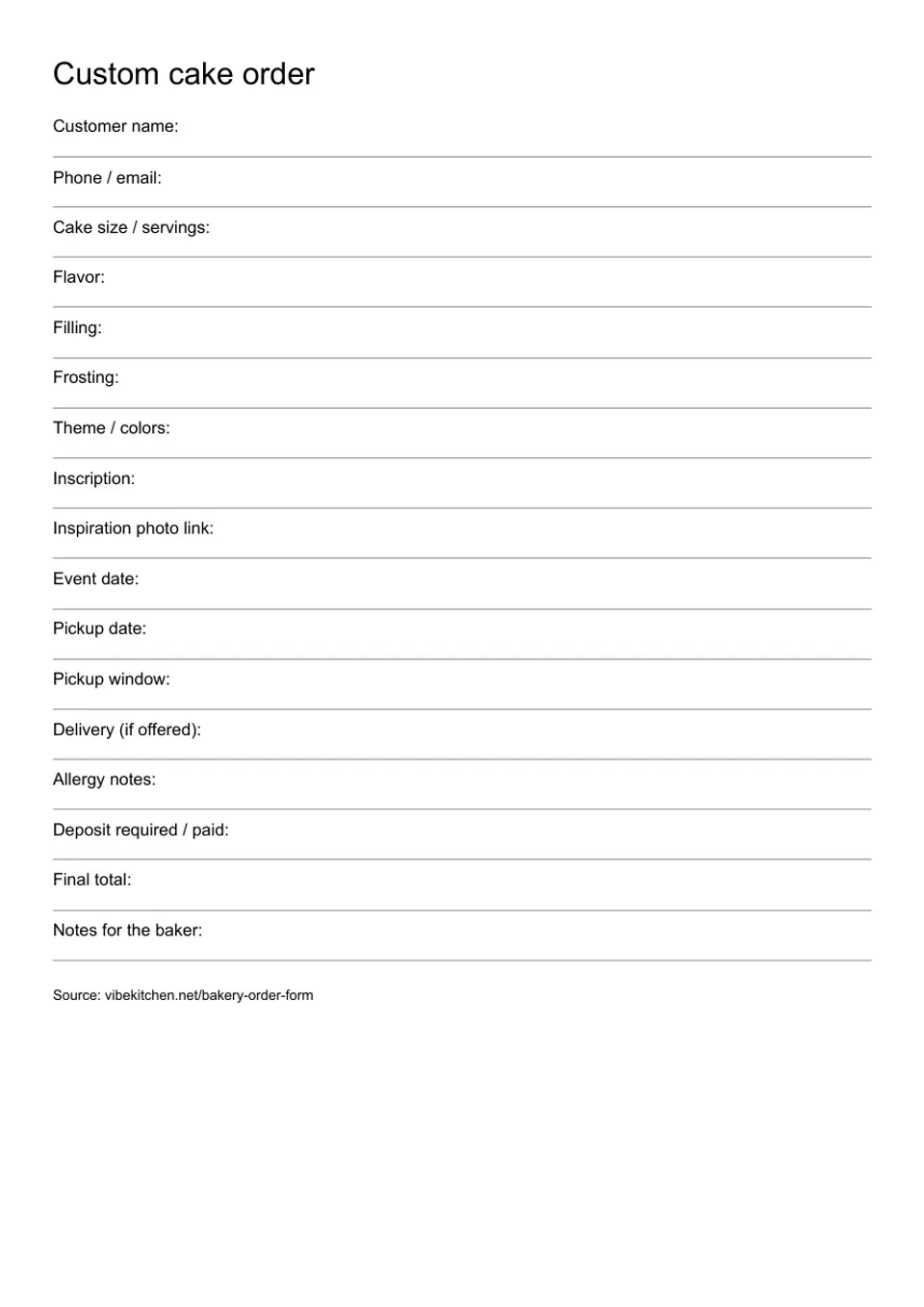
Custom cake order
Source: vibekitchen.net/bakery-order-form
What a bakery order form should collect
Collect customer contact, the product and quantity, pickup date and window, allergy notes, the agreed total and payment/order status. Choose a preset above, edit the fields, then print a fill-in sheet or copy the text into your own form.
Use the pricing baked goods calculator before agreeing to a total. For the wider setup, see the home bakery startup guide.
Field checklist
Start with the fields that save actual back-and-forth.
Customer
Name, phone or email, preferred contact method, and whether this is a repeat buyer.
Order
Item, flavor, quantity, servings, custom notes, allergy notes, and packaging request.
Timing
Event date, pickup date, pickup window, rush deadline, and delivery request if offered.
Money
Total, deposit, payment/order status, balance due, and when the order is considered confirmed.
Match the form to the product
Keep only the questions that change what you make, what you charge or when the order is ready.
- Custom cake: servings, size, finish and design details.
- Custom cookies: theme, colors, count and wrapping.
- Cupcakes: flavor mix, frosting, toppings and box size.
- Bread / loaf preorder: item, quantity, sliced or whole, and pickup.
- Plates & meal prep: portions, sides and dietary notes.
- Weekly preorder: item, quantity, contact and pickup window.
These are editable templates for your own process. A deposit field records your terms; it does not collect money or confirm an order.
Cake order form
Choose Custom cake in the builder above. Ask for servings and cake size together: a buyer's guest count alone does not tell you the portions or shape they expect. Record flavor, filling and frosting so the written order is specific enough to bake from.
- Design: theme, colors, exact inscription and an inspiration photo link.
- Timing: event date, pickup date and pickup window; delivery only if you offer it.
- Agreement: allergy notes, final total and any deposit required or paid under your own policy.
Review design requests before agreeing to the price. Keep the approved details with the order, and record later changes on the same sheet. Use the cake pricing guidance to charge for design time separately.
Cookie order form
Choose Custom cookies in the builder above. Ask for the cookie count and size before discussing a theme. List the colors and whether each cookie needs a name or a different design; those choices change decorating time.
- Wrapping: confirm individual bags, labels, ribbon or a shared box.
- Deadline: record the pickup date and window separately from the event.
- Rush work: add your agreed rush date and fee if you offer it.
Use the notes field for design approval and substitutions. Recheck the total when a buyer changes the quantity or wrapping.
Use the form to protect your schedule
- State your order deadline and check capacity before accepting.
- Give a pickup window and confirm the location with the buyer.
- Explain your own payment or deposit rule before calling the order confirmed.
- Keep the accepted details and any changes in one order record.
A request is not a confirmed order. Make that distinction clear on your own form, especially when you need to review a custom design first.
Copyable bakery order form template
The builder is the editable version. This shorter template also works in a message or a document:
Customer name:
Phone / email:
Product / flavor:
Quantity / servings:
Design / packaging:
Event date:
Pickup date:
Pickup window:
Allergy notes:
Agreed total:
Payment / order status:
Notes:
Add deposit terms only if they are part of your own policy. Use Download .txt for the builder text, or Print order form for a sheet with writing lines. Uncheck Include source line to print it without our web address.
Bakery order form examples
| Product | Details to confirm |
|---|---|
| Custom cake | servings, filling, design |
| Cupcake order | flavors, frosting, toppings |
| Bread or loaf preorder | quantity, sliced or whole |
| Cookie set | colors, wrapping, rush date |
| Dessert tray | item mix, portions, pickup |
For plates and meal prep, the builder also includes sides, portion count and dietary notes. Remove any fields you will not use before sharing your form.
Google Form, PDF, Excel, or online form?
Pick the format that fits how you receive orders. Browser print can produce a paper sheet or let you save a PDF through your browser's print dialog. Copy the field text into a form builder if you need customers to answer online.
A spreadsheet works for internal production totals. An online menu is useful when buyers need to choose available products and pickup times. See best app to sell homemade food for the menu and ordering workflow.
Template choice
Pick the order form format by how buyers actually order.
| Item | Best for | Watch out for |
|---|---|---|
| Printable PDF | In-person orders | Manual record keeping |
| Google Form | Collecting requests | Separate from your menu |
| Excel sheet | Production totals | Internal use |
| Online order link | Repeat menu orders | Keep availability current |
Link the form to pricing and labels
- Price custom colors, names, packaging and rush work before agreeing to the order.
- Carry the confirmed product name and allergy notes into your production record.
- Check the cottage food label template and state rules when preparing product labels.
Frequently asked
Common questions.
What fields should a bakery order form have?
Include contact details, product, quantity, flavor, pickup date and window, allergy notes, custom requests, total and payment/order status.
Can I make a printable bakery order form?
Yes. Choose a preset above, edit the text and select Print order form. The sheet adds writing lines after field labels. Uncheck Include source line to remove attribution.
Can I use a Google Form for bakery orders?
Yes. Copy the fields from the builder and create a question for each one you need. Review requests before confirming availability and the final price.
What should a custom cake order form include?
Ask for servings, cake size, flavor, filling, frosting, design, inscription, event date, pickup details, inspiration photos and allergy notes. Add your own payment or deposit terms if applicable.
Should my form collect payment?
That depends on your process. If you require a deposit or prepayment, explain the amount, timing and confirmation rule before the buyer submits. This template provides fields for your records; it does not process payments.