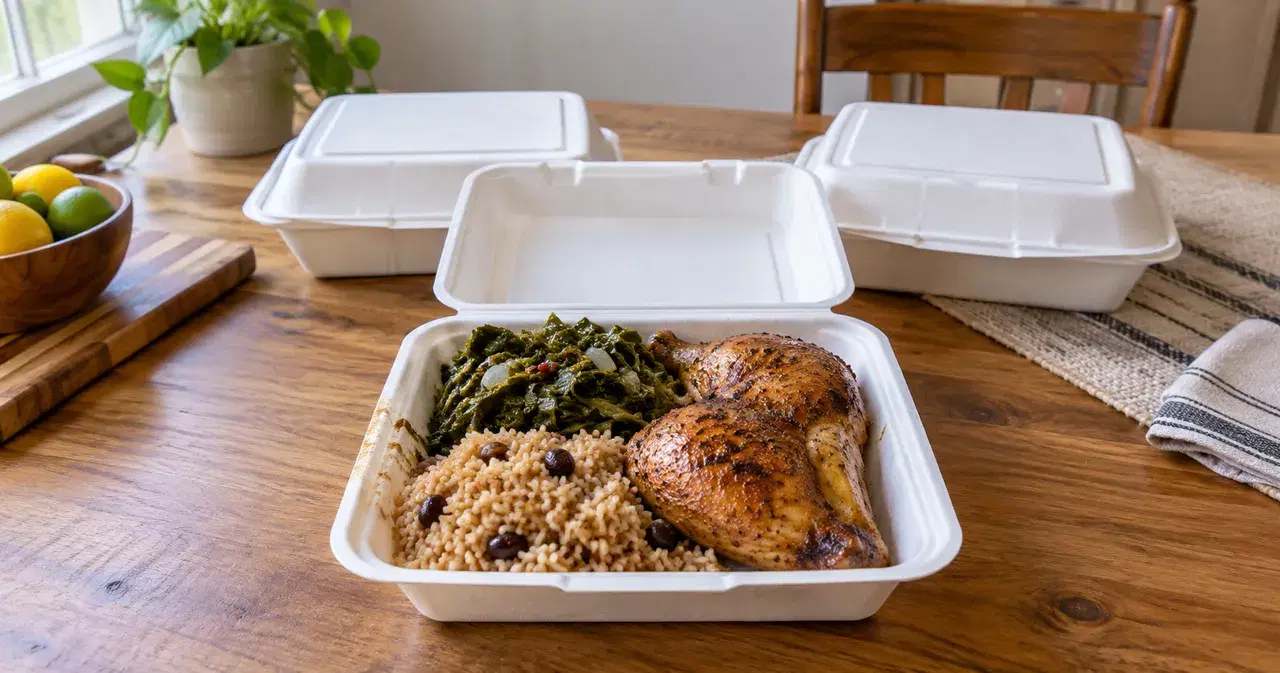
Start with the meal and the pickup day
A plate sale is a home-cooked meal, usually a main and two sides, sold at a set price for pickup on a set day. Sellers announce them where their neighbors already are: a local Facebook group, their own Facebook or Instagram, a church or workplace group chat, or a flyer. Buyers claim plates in the comments or by message, and the seller cooks for that day.
That works until the orders are spread across comments, messages, and texts. Before you post, settle four things: what's on the plate, what it costs, when orders close, and when people collect. Then take every order in one place, so on cooking day you know exactly how many plates to make.
Worked example: a $15 plate of chicken, rice, and greens. Orders close Thursday at 7 PM, and pickup is Saturday from noon to 2 PM. This guide follows that sale from the post to the last plate handed over.
Set a deadline you can cook to
- Close orders before you shop. A Thursday-night deadline for a Saturday pickup leaves Friday for shopping and prep, and you only buy for plates that are already sold.
- Offer one pickup window, not separate appointments. "Saturday, noon to 2 PM" is one message to send and one stretch of time to plan around. A dozen individual times turn into a dozen conversations.
- Decide your maximum before you post. If your pots and oven can handle 30 plates, stop at 30 and say so in the post.
Your Saturday plate sale, in order
Show the meal
Share the plate, price, pickup area, and order link.
Close Thursday at 7 PM
Check the plate quantities in your paid orders before shopping.
Prepare the promised meals
Plan cooking and safe holding around Saturday pickup.
Hand over noon to 2 PM
Match each packed order to the buyer who arrives.
Write the post
Post where people already know you. In a local Facebook group, read the group's rules first, because each group sets its own rules about selling. On your own Facebook or Instagram, or in a group chat, the same post works. Write for someone who has never bought from you, and put everything in the post itself, not in a comment, so people scrolling past see it:
- Photo: the actual plate, not a stock picture.
- What's on it: chicken, rice, and greens; say if a side can be swapped.
- Price: $15 a plate.
- Order by: Thursday at 7 PM.
- Pickup: Saturday, noon to 2 PM, and the area you're in.
- How to order: one link or one clear instruction.
When someone comments "two please," reply with where to order instead of writing it down from the comment. Orders split across comments, messages, and texts are how plates get double-counted or forgotten. If you're still choosing how to take orders, compare DMs, forms, and an order link.
On Instagram, put the order link in a Story link sticker or in your profile; the Instagram guide shows how. For neighbors who aren't online, a printed sign with a QR code on your door or a community board works too. Scan it with your own phone before you put it up.
Facebook has its own rules about food listings, separate from your state's rules; the Facebook selling guide explains both.
Pickup day: work from the order list
Cook and pack from the list, not from memory.
- Total the plates before you cook. One order can be several plates: in the Saturday example, a buyer who orders three meals needs three plates.
- Pack and label each order with the buyer's name and what's in the bag.
- Check the name at handoff before you give the bag over.
- Decide ahead what happens at 2 PM to plates nobody has collected, and tell late buyers before they arrive.
Plan how you'll keep the meals at a safe temperature until they're collected; your local health department can tell you what that requires for your menu.
Price the plate
Price each plate to cover ingredients, containers, and your time, plus the fees for however buyers pay you. Work it out per plate before you post, not after the orders are in, so a busy sale doesn't turn into a loss.
Check the rules for cooked meals
Cottage food rules are typically written around shelf-stable foods, such as baked goods that don't need refrigeration. A cooked chicken plate needs a different check from a bag of cookies. California, for example, separates its cottage food program from its home-kitchen meal program (accessed October 11, 2026).
Read the Selling Plates from Home explanation, then find your agency in the state rules directory. California's MEHKO guide explains one cooked-meal path; it's only available where the city or county has opted in. Ask your agency about your menu, kitchen, and pickup plan before taking orders.
Run your plate sale with VibeKitchen
VibeKitchen gives your sale one order link. Buyers choose how many plates they want and pay when they order, and every order lands in one list. Here's how the steps above look in the app:
- Deadline and pickup: set the plate up as a Scheduled Batch, with an order cutoff of Thursday at 7 PM and a pickup window of Saturday, noon to 2 PM. Buyers see the window; they don't pick their own time. The holiday preorders guide walks through the setup.
- Your maximum: the optional batch order limit stops orders at a number you choose. It counts orders, not plates, so leave room for buyers who order several.
- The post: the Facebook Post / Group Kit makes a feed image, a caption, pinned-comment text, and quick replies with your order link, all from the plate's details. For Instagram, the Instagram Story Order Kit makes a Story image with room for the link sticker. Check everything, then post it yourself; VibeKitchen doesn't post for you.
- The sign: the Print Sign Kit makes a QR sign with the link written out underneath.
- Pickup day: each order shows the buyer's name and how many plates, and you can message a buyer about their order, for example about a late pickup.
- Cost: a service fee of 5% + $0.50 per order, which the buyer pays by default; you can absorb it instead. Stripe's processing fee comes out of your payout.
Sample shop
This plate sale in the app
Kit outputs and screenshots from a sample shop, using the plate from this guide.
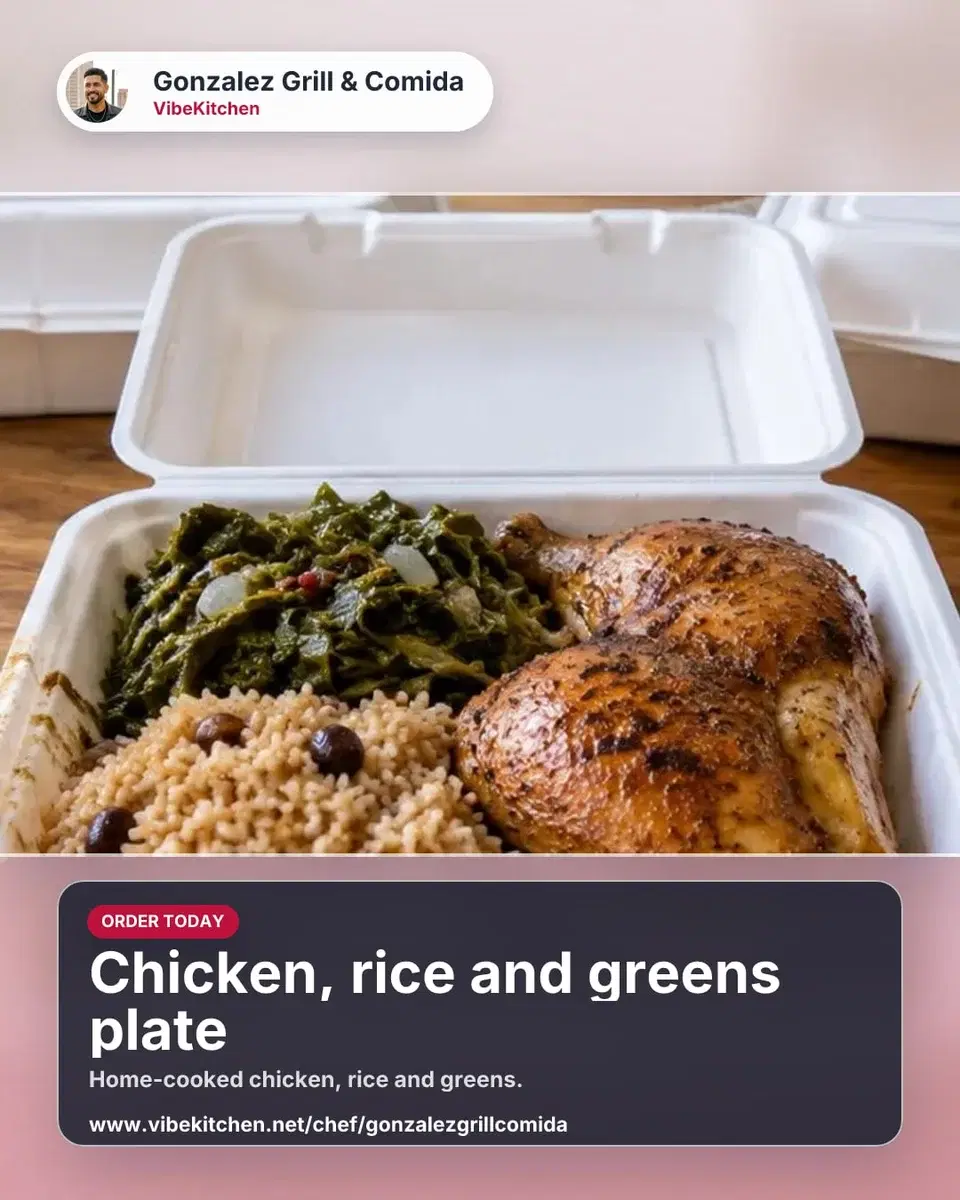
The post image
Made by the Facebook Post / Group Kit from the plate's photo.
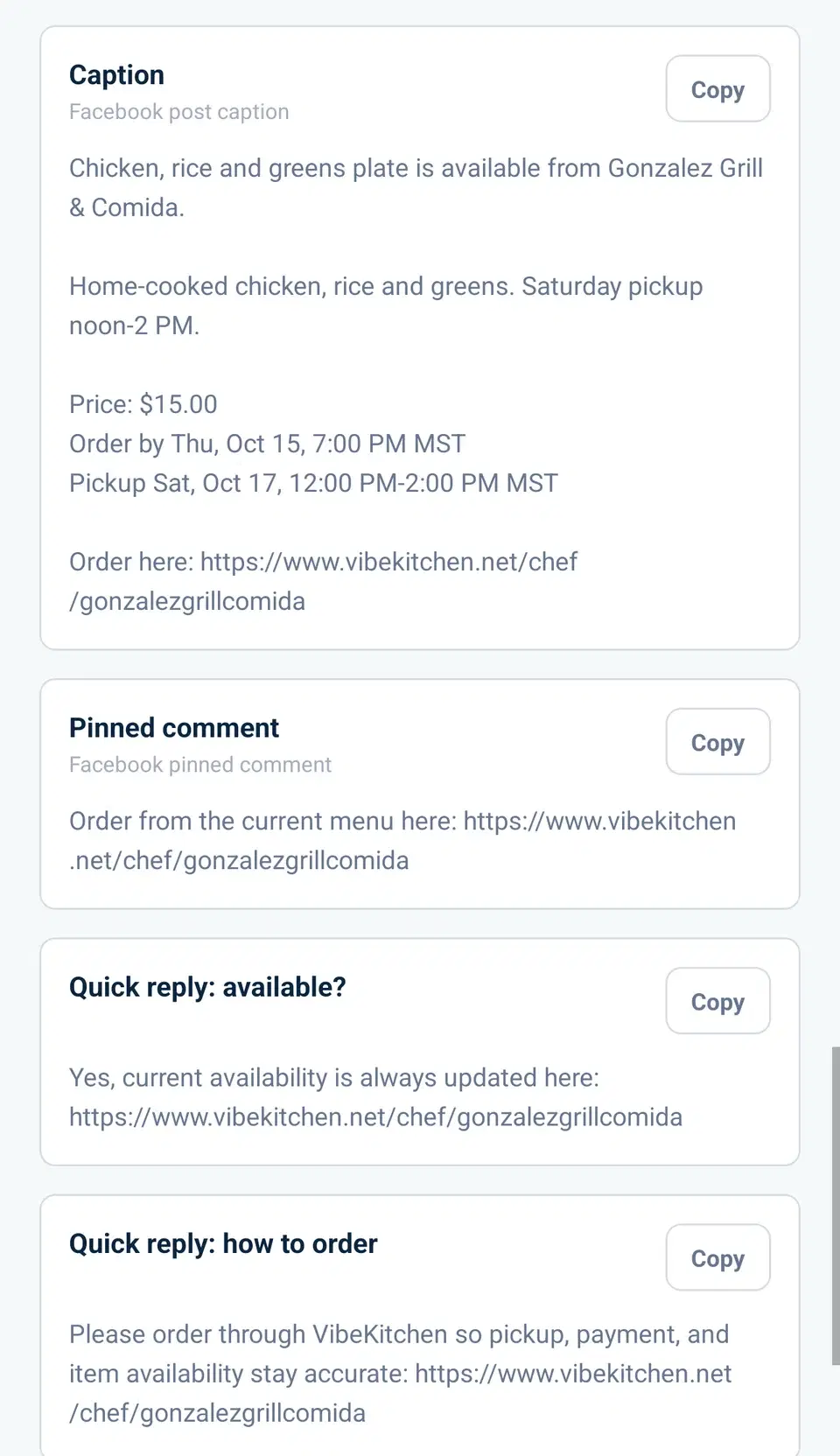
The post text
A caption with the price, order deadline and pickup window, plus a pinned comment and quick replies.
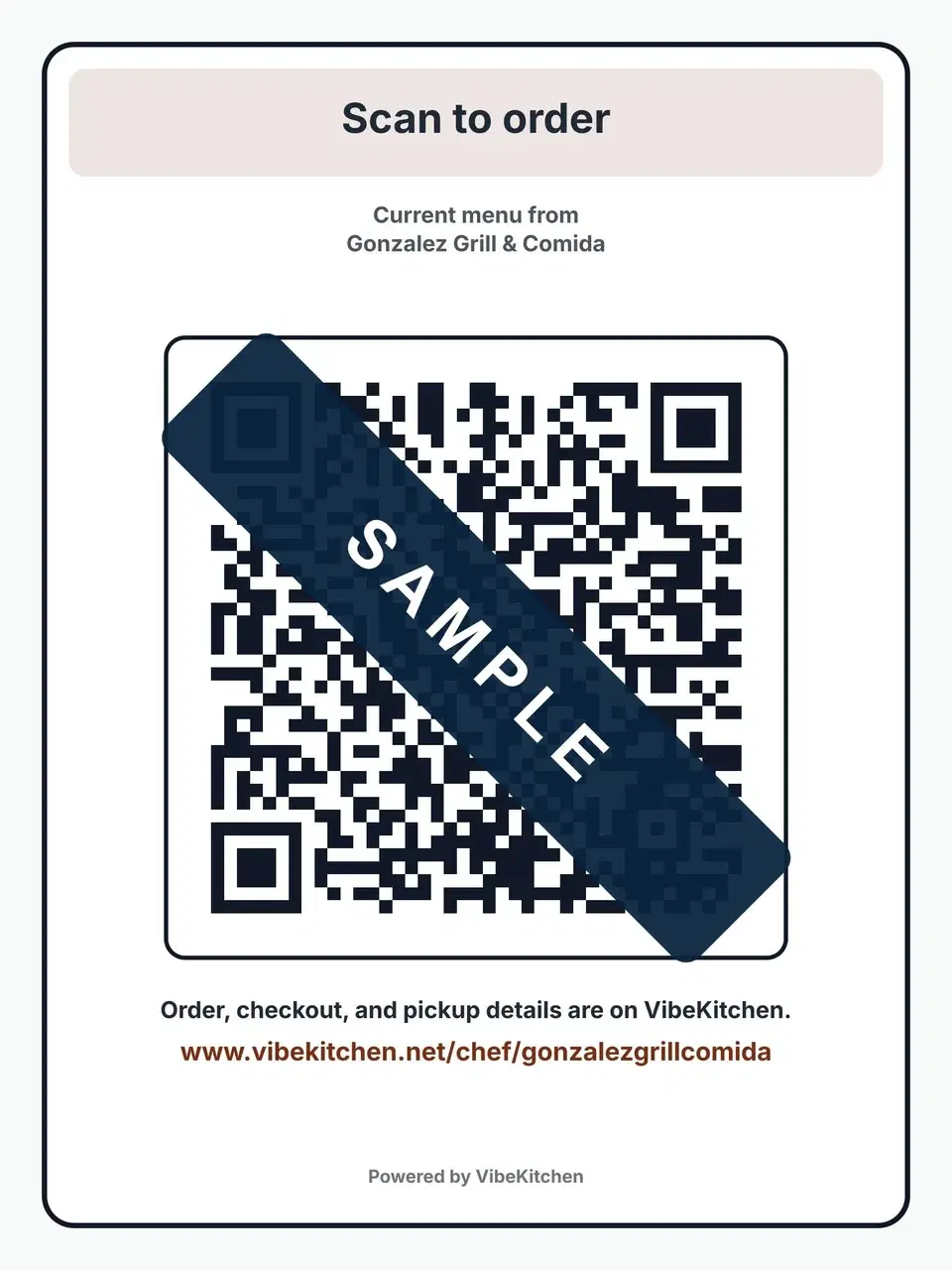
The sign
The Print Sign Kit's QR sign. Sample: the code is covered so it can't be scanned from this page.
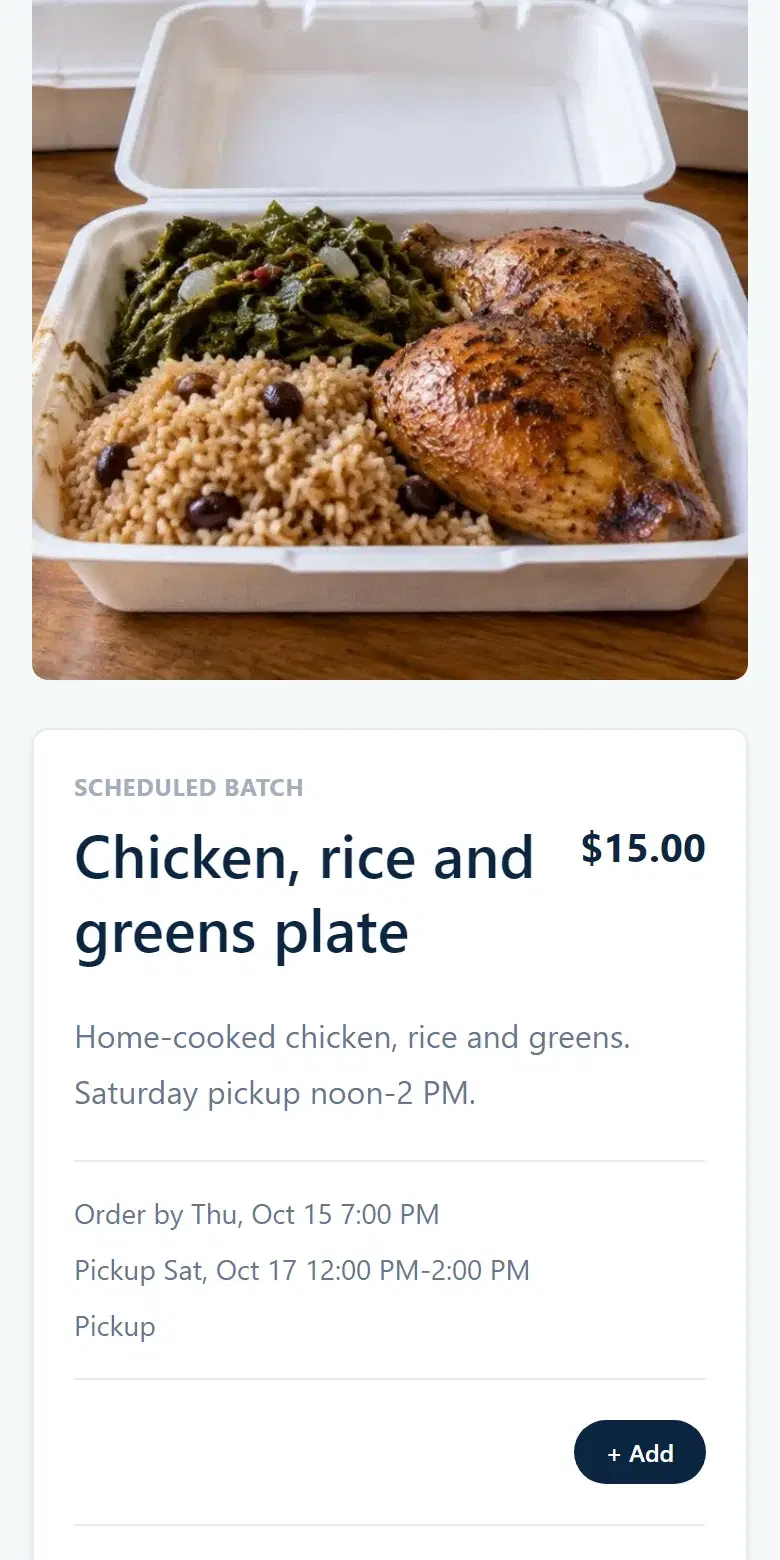
What buyers see
The plate's price, order deadline and Saturday pickup window.
Frequently asked
Common questions.
What should a plate sale post include?
A photo of the real plate, what's on it, the price, the order deadline, the pickup window and area, and how to order. Put all of it in the post itself.
How many plates should I make?
Add up the plates across every order once the deadline passes; one order can be several plates. Setting a maximum before you post means you never sell more than you can cook.
Can I take plate-sale orders in Facebook comments?
You can answer questions there, but record orders in one place. Sending everyone to the same order link or form keeps quantities and payment together.
Is a plate sale covered by cottage food rules?
Don't assume a rule written for cookies covers cooked meals. Check the cooked-meal path with your state or local agency using the links above, including what they require for pickup and safe food handling.