
One link, one deadline, one pickup time
Holiday orders usually show up as a pile of messages: "Can I get two boxes?" "Is Saturday okay?" "Are you still taking orders?" A preorder batch puts all of that in one place. You choose the food, the last day to order, and one pickup time, then share a single link. Buyers pay when they order, and you bake for the orders you actually have.
In VibeKitchen this is called a Scheduled Batch. Run one Scheduled Batch per pickup day.
This guide follows one example the whole way through: a holiday cookie box, ordered by Friday, December 18, and picked up on Sunday, December 20. It works the same way for Thanksgiving pies or a December tamale run. If you're still building your menu, start with the home bakery guide.
Plan your batch
Pick one thing you can make well, many times. A cookie box with a set mix of cookies is easier to bake, pack, and price than a build-your-own menu. Say exactly what's inside, like "12 decorated cookies," so nobody is surprised at pickup. Before you set the price, run your ingredients, boxes, ribbon, and time through the baked goods pricing calculator.
Set the last day to order. Work backward from pickup: shopping, baking, cooling, decorating, packing. For a Sunday pickup, a Friday-night cutoff leaves you Saturday to bake. In the app, this is the Order cutoff.
Set one pickup time. Choose a window when you'll really be home, like Sunday from 10 AM to 2 PM. Every buyer gets that same window; they don't pick their own time slot inside it. If someone needs a specific time, sort it out in the order messages. In the app, this is Pickup window starts and Pickup window ends.
Cap it at what you can make. The Batch order limit is optional. It counts orders, not boxes: a buyer who orders three boxes uses one spot. Leave yourself some room, because you may bake more boxes than you have orders. The bakery order form guide covers what else to spell out before someone orders.
Your holiday batch timeline
Post it
Share the box, the price, the deadline, the pickup time, and your link.
Orders close
Ordering stops by itself at the cutoff.
Bake and pack
Make the orders you have, plus any extras.
Pickup
Hand over orders during the 10 AM–2 PM window.
Sell extras
List extra boxes as their own Ready Now item.
More than one pickup day
Each batch has one pickup window, so a Saturday pickup and a Sunday pickup are two batches, each with its own cutoff.
Double-check the dates before you post. Once a batch has open orders, its pickup window is locked and can't be moved.
Requests for a different day
Someone wants a box for a party on the 23rd? Set up a separate item as a Custom Order. The buyer requests a date, and you work out the exact pickup time with them. That keeps one-off requests from crowding your batch.
Tell people about it
Post once, early, with everything a buyer needs to decide: what's in the box, the price, the last day to order, the pickup time, and your link. VibeKitchen's sales kits write most of it for you:
- The Facebook Post / Group Kit gives you a feed image, a caption, a pinned comment, and quick replies with your order link.
- The Facebook Marketplace Listing Kit gives you listing fields, a food-first photo, and auto-reply copy for messages.
- The Instagram Story Order Kit gives you a vertical image with room for a link sticker.
- The Print Sign Kit gives you a QR sign for people who see you in person.
The Facebook Marketplace guide has more on posting and answering buyers.
When buyers open your link, they see the box with its deadline and pickup time, like "Order by Dec 18 · Pickup Sun, Dec 20 10:00 AM–2:00 PM." If a buyer's cart reaches the spots you have left, they see how many remain. Ordering closes by itself at the cutoff, or as soon as the batch is full.
Sample shop
What this looks like in the app
Screenshots from a sample shop, using the cookie box from this guide.
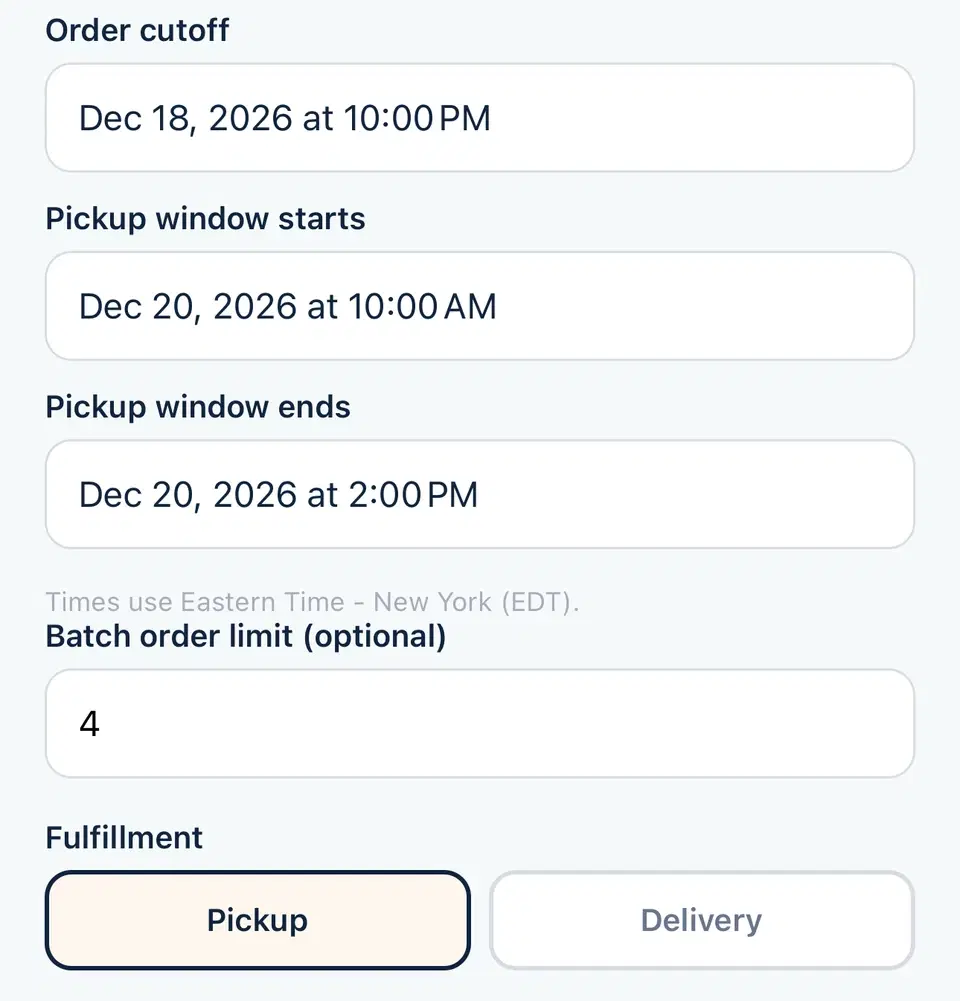
Set up the batch
The setup screen: last day to order, pickup time, and an order limit of 4.
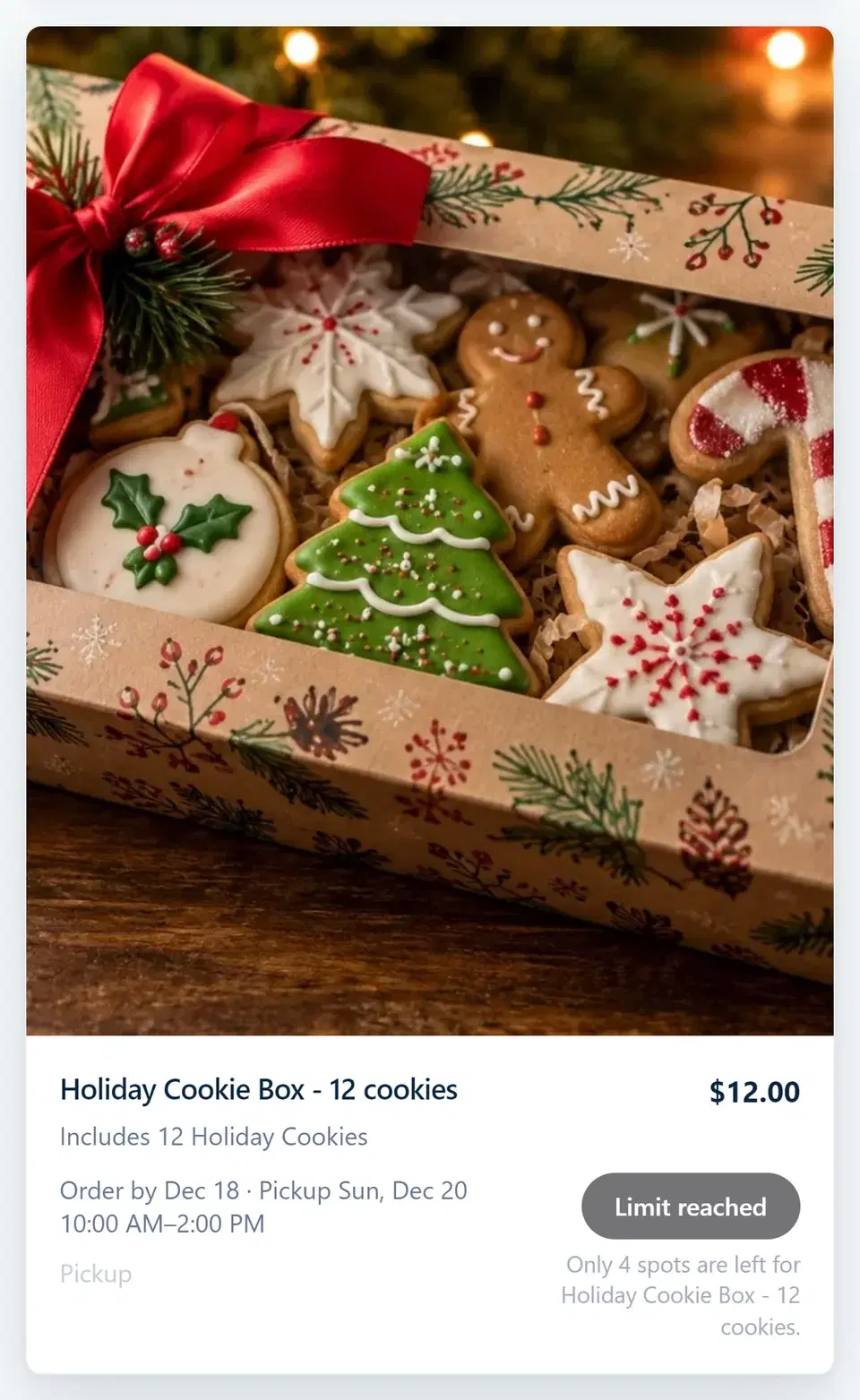
What buyers see
The cookie box on the shop page, with its deadline, pickup time, and how many spots are left.
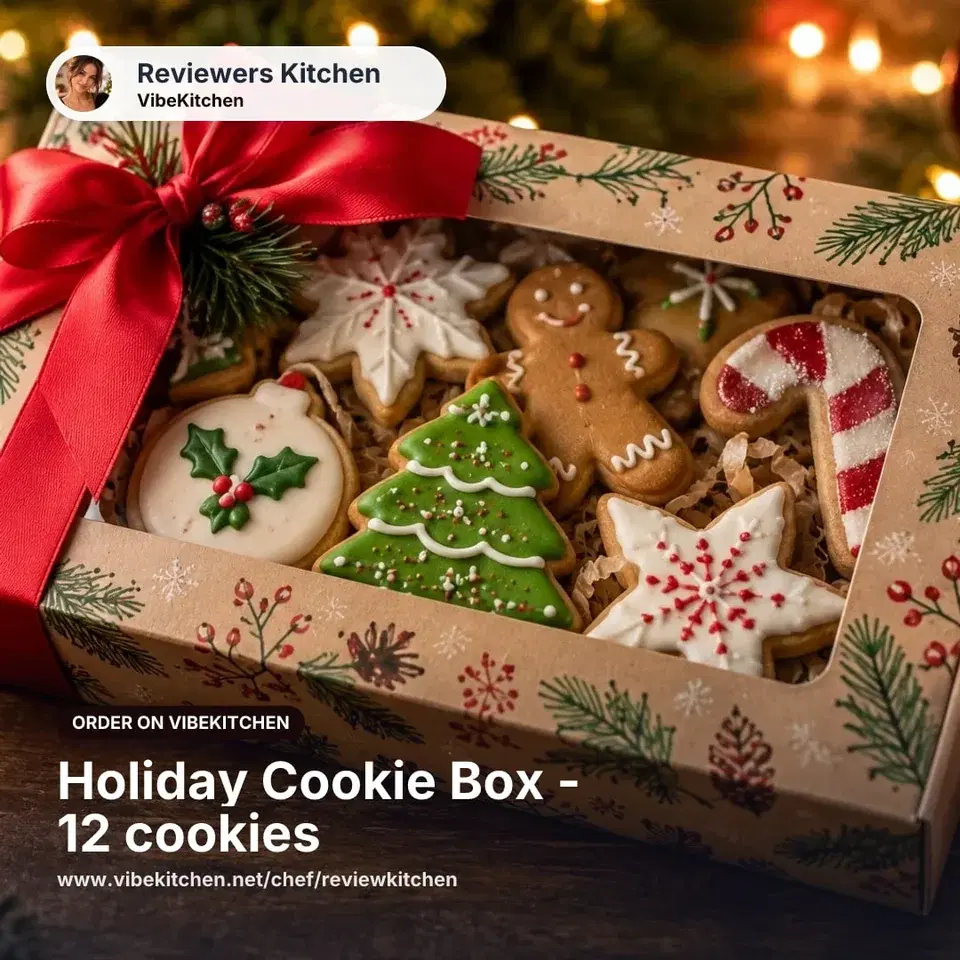
Share your link
A Facebook Marketplace kit image, ready to post with your link.
Pickup day
Pack the orders and be there for the window you promised. If someone is running late, use the order messages.
Have extra boxes? Add them as their own Ready Now item, like "Extra cookie box, pickup today," with the number you actually have. People who see your post can grab one the same day.
What it costs
VibeKitchen charges a 5% + $0.50 service fee per order. The buyer pays it at checkout by default, or you can choose to cover it. Stripe's processing fee comes out of your payout. Build both into your price.
Check your local rules
Cookie boxes are the kind of food most cottage food laws are written for: baked goods that don't need a fridge. Pumpkin pie, cheesecake, and cooked meals like tamales often fall under different rules.
Look up your state in the state rules directory. For cooked meals, some places have home-kitchen meal programs, like California's MEHKO permit, and some counties run local pilot programs. When in doubt, ask the agency that oversees home food sales where you live, often the health department or the department of agriculture.
Frequently asked
Common questions.
How do I take holiday preorders?
Make one Scheduled Batch for your holiday item. Give it a last day to order and one pickup time, add an order limit if you want one, and share the link. Two pickup days means two batches.
When should I stop taking orders?
Work backward from pickup. Add up the time to shop, bake, cool, decorate, and pack, and set the cutoff before all of that starts. Put the cutoff in your post so buyers know the deadline.
Can I limit how many orders I take?
Yes. Set a batch order limit. It counts orders, not items, so one buyer ordering three boxes uses one spot. Ordering closes when the limit is reached.
Can buyers pick their own pickup time?
Not inside a batch. Everyone gets the same window, like Sunday from 10 AM to 2 PM. If someone needs a specific time, work it out in the order messages. For a different day, set up a Custom Order item, where the buyer requests a date and you agree on the time.
Can I change the pickup time after people order?
No. Once a batch has open orders, its pickup window is locked. Check it before you post, and make another batch if you need another day.